Skip to content

iPhone · Apple Watch · iOS 18+

Read the sky. Enjoy the ride.

VeloBriefing compares Apple Weather with MET Norway along your route and turns them into one briefing: rain, wind and traffic, hour by hour, where you will be.

App Store — coming soon

Free to download. No account, no ads, no tracking.

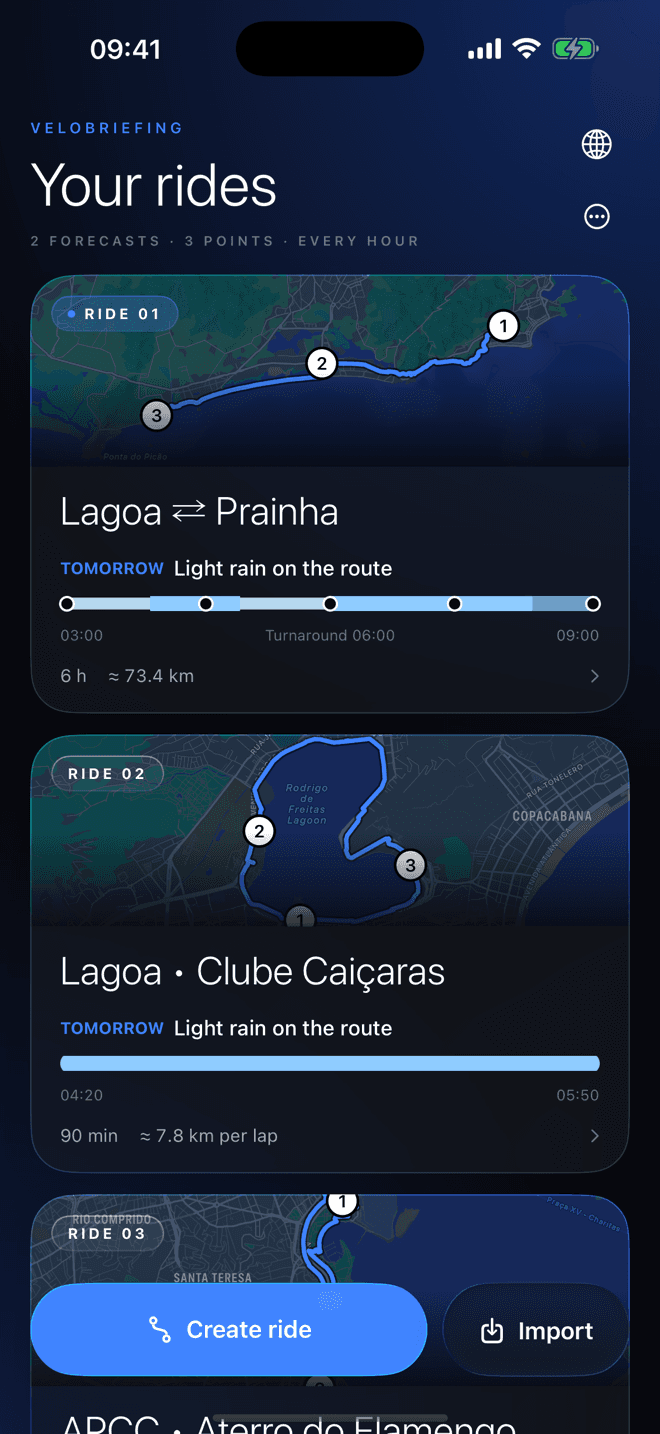
VeloBriefing screen: Rain where you will be, when you get there.
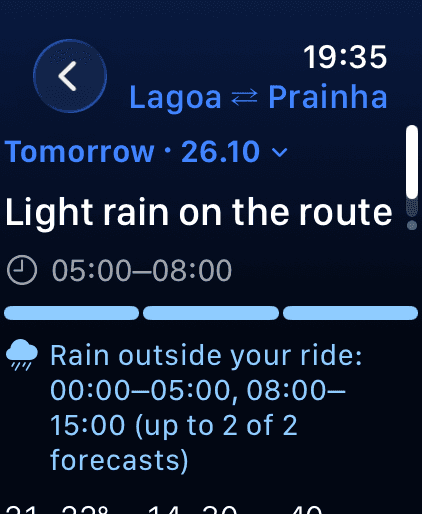
VeloBriefing screen on Apple Watch

The forecast that rides with you.

Each point shows the rain at the hour you reach it, and the wind relative to your direction.

Rain along your routeExample illustration
1234
  1. 107:00 · Start

    Dry

  2. 207:40 · Waypoint

    Drizzle · 1 of 2

  3. 308:20 · Turnaround

    Moderate rain · 2 of 2

  4. 409:00 · Finish

    Light rain · 1 of 2

Wind:HeadwindCrosswindTailwindRainDry

Rain

Rain where you will be, when you get there.

VeloBriefing checks the rain at your start, your waypoint and your turnaround at the hour you actually reach each one. From drizzle to heavy rain, and whether the sources agree.

  • Hour by hour at all three points
  • Drizzle, light, moderate or heavy
  • Agreement between sources, not an invented percentage
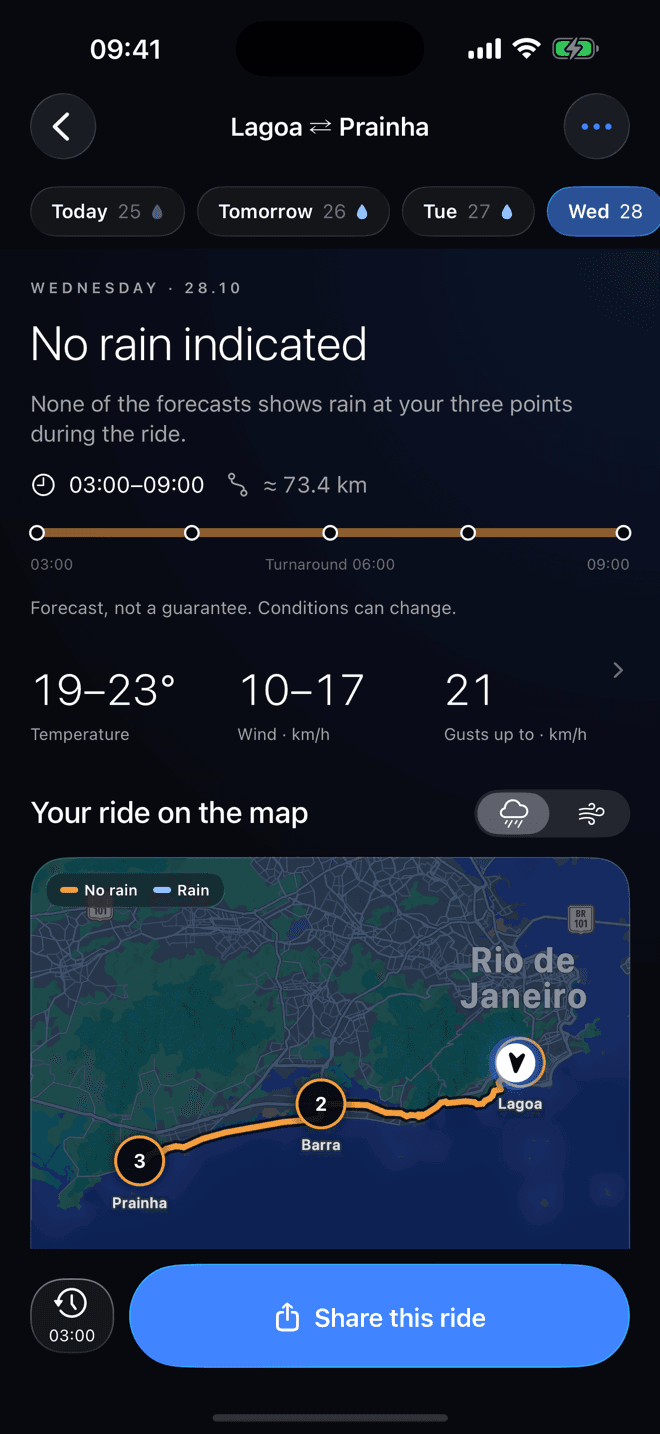
VeloBriefing screen: Rain

Wind

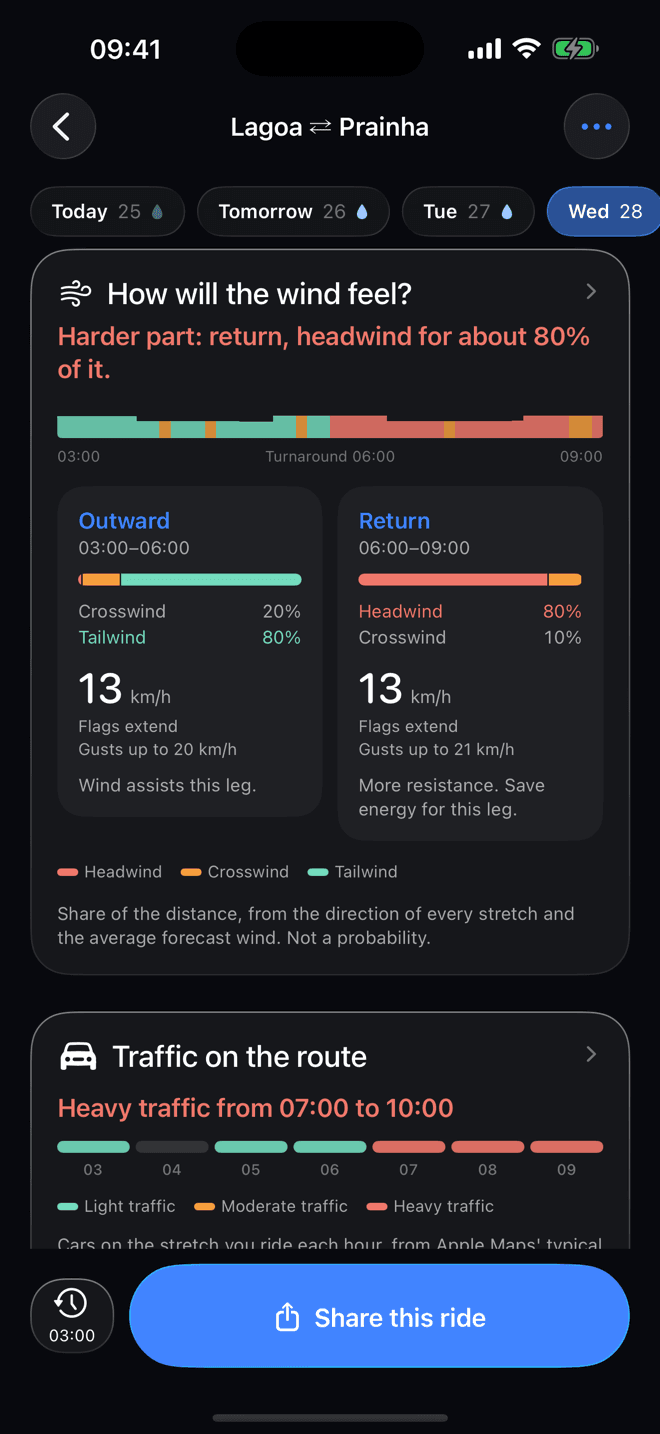
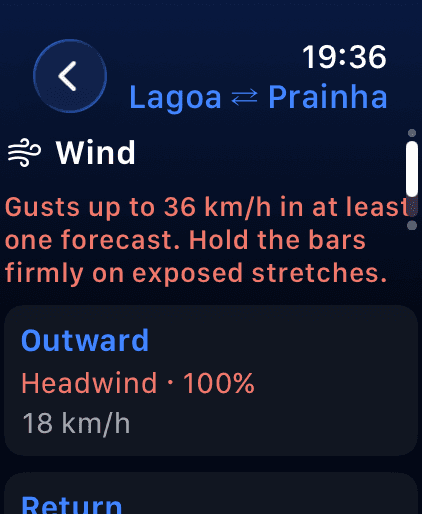
Wind, relative to your direction.

Headwind, crosswind or tailwind on every stretch of the route, with gusts, so you know where the ride will push back.

  • Head, cross and tail on each stretch
  • Gusts alongside average wind
  • Works for loops and out-and-backs
VeloBriefing screen: Wind

TrafficPro

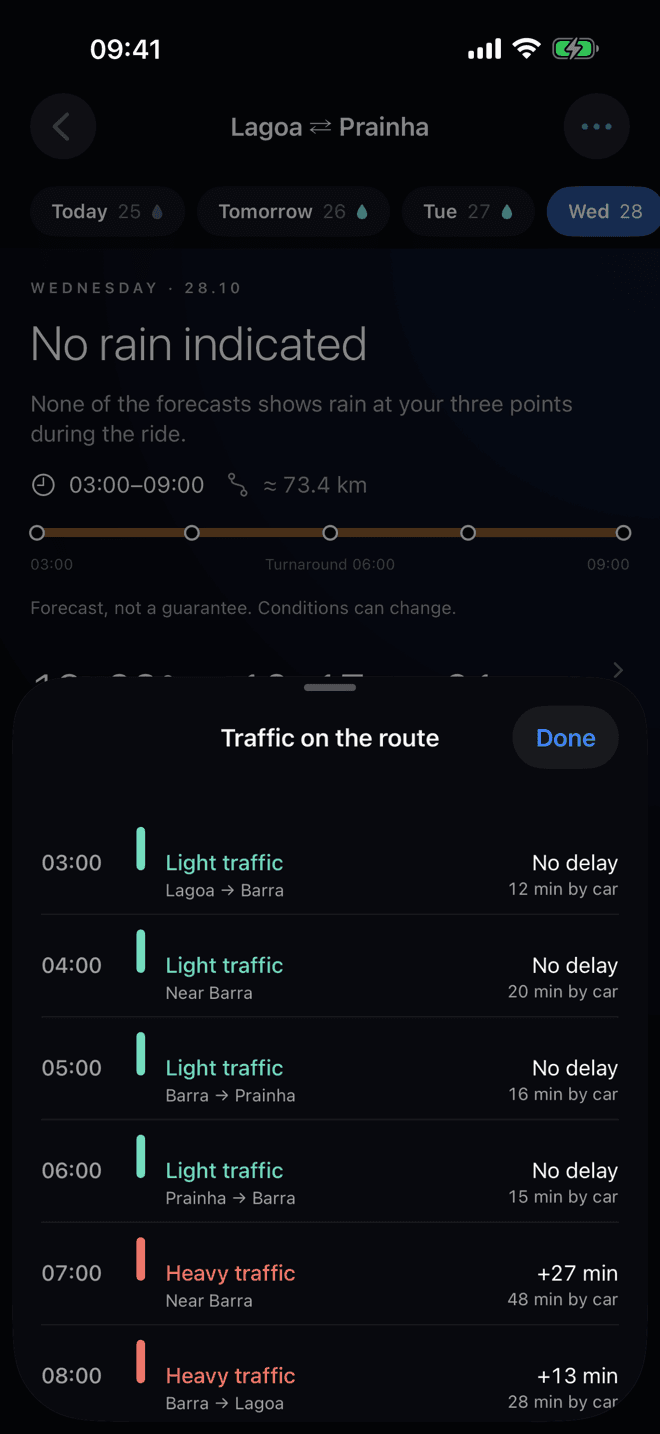
Typical traffic, hour by hour.

See how busy the roads on your route usually are at the hour you ride, based on Apple Maps patterns. A pattern, not live traffic.

  • Usual pattern from Apple Maps
  • Per hour, along your route
  • Included with VeloBriefing Pro
VeloBriefing screen: Traffic

PlanningPro

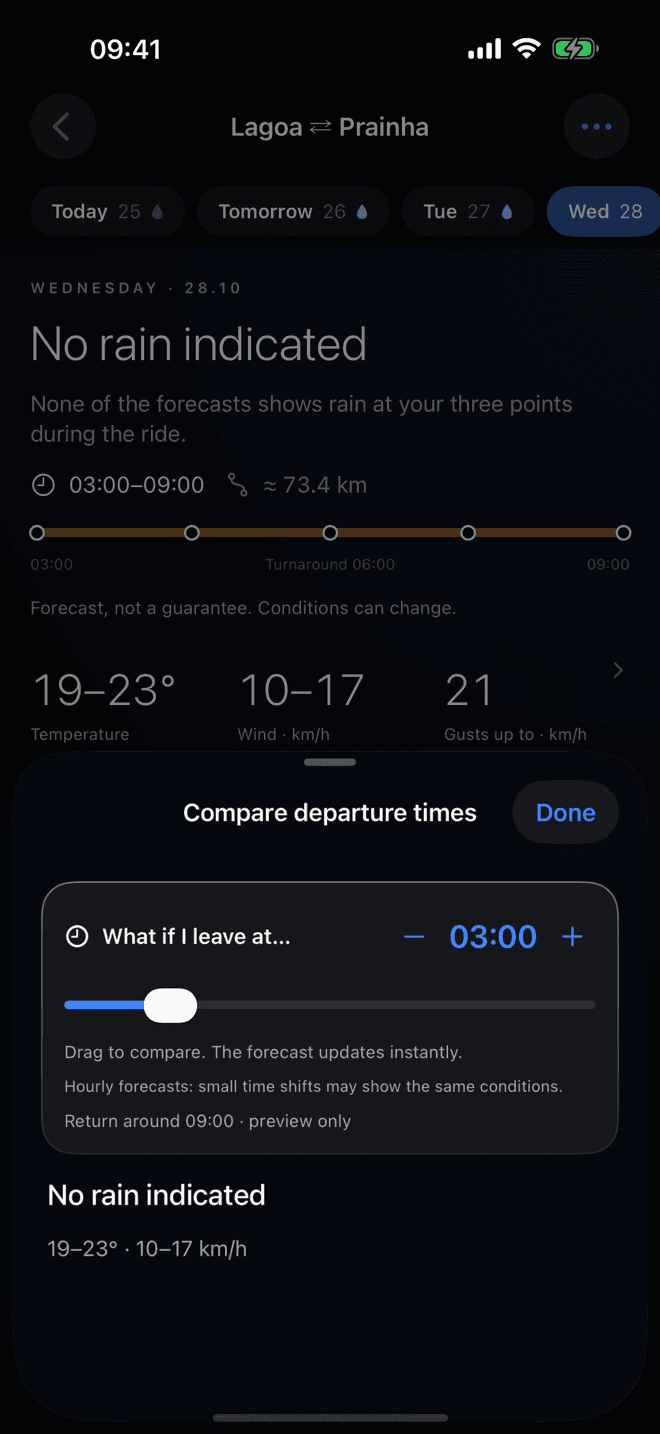
Pick the best time to leave.

Slide the departure time, compare start times side by side and plan across the week. Tap any card for the hour-by-hour detail.

  • Departure time comparison
  • Week planning
  • Hourly detail behind every card
VeloBriefing screen: Planning

Apple WatchPro

On your wrist.

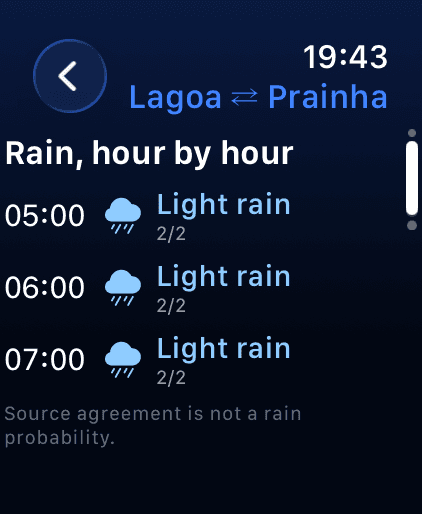
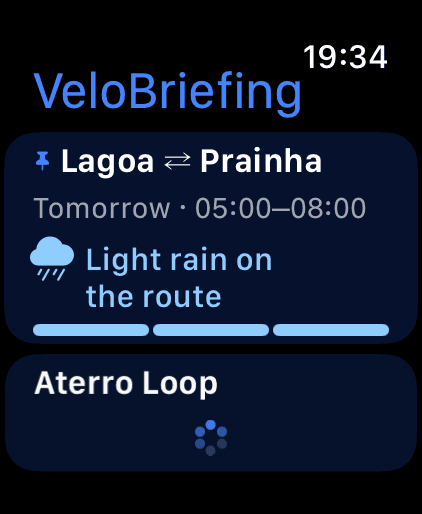
The Apple Watch app brings your rides and forecasts to your wrist, with complications for your watch face. The full briefing is part of Pro.

VeloBriefing screen on Apple Watch 1
VeloBriefing screen on Apple Watch 2
VeloBriefing screen on Apple Watch 3
VeloBriefing screen on Apple Watch 4
  • Complications for your watch face
  • The watch reads its own forecasts
  • Full briefing with Pro

Widgets, Siri and alerts

Right where you already look.

Widgets on the Home Screen, Lock Screen and StandBy, Control Center, Siri, Shortcuts and Spotlight. Alerts the evening before, 2 hours before and when the forecast flips.

  • Home Screen
  • Lock Screen
  • StandBy
  • Control Center
  • Siri
  • Shortcuts
  • Spotlight
  • Alerts
Siri
“Will it rain on my ride?”
VeloBriefing

Routes

Every route, imported.

Draw it on the map with Apple Maps street courses, or import a GPX file, a Strava segment or route link, or a workout from Apple Health.

  • Apple Maps
  • GPX
  • Strava
  • Apple Health
VeloBriefing screen: Routes

Share

Made to share with your group.

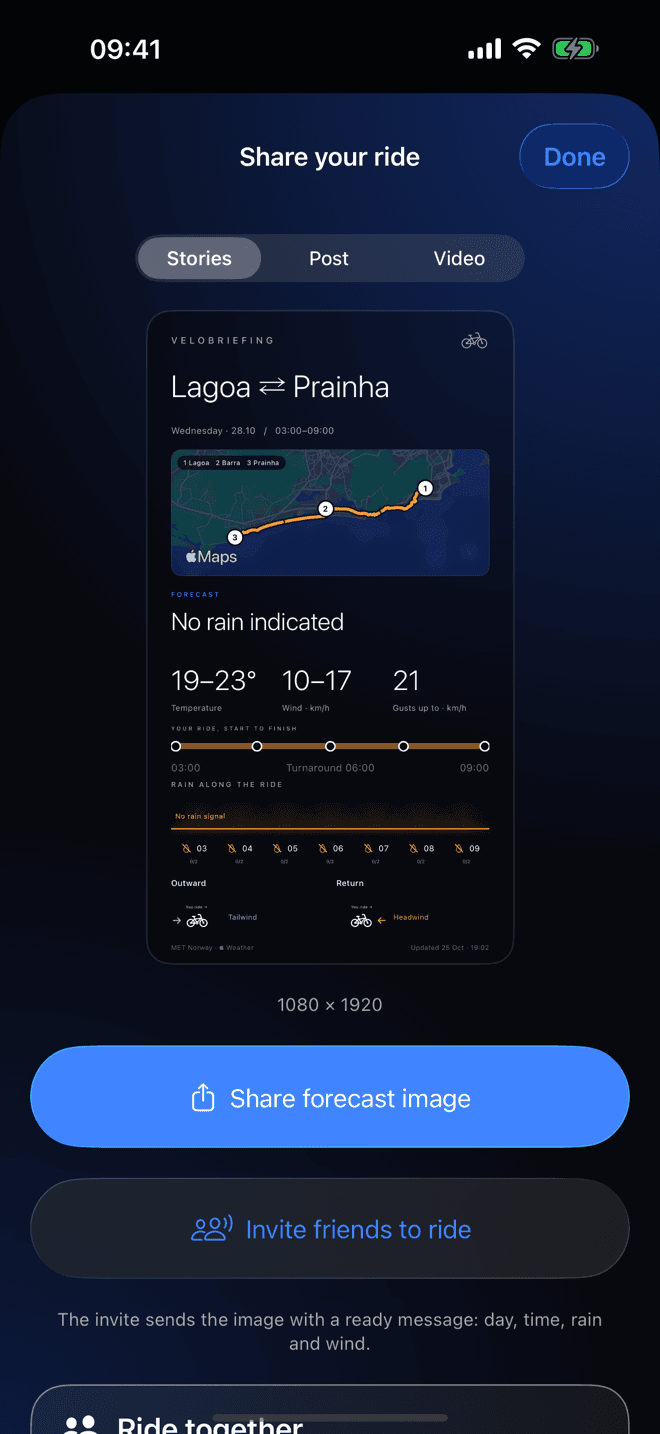
Send a link that opens in the app, in the App Clip or as a web preview. Or share a 9:16 story card and an animated route video.

  • Link
  • App Clip
  • 9:16 story card
  • Route video
VeloBriefing screen: Share

How it works

01

Draw your route

Pick a start, a waypoint and a turnaround on the map, or import from GPX, Strava or Apple Health.

02

Read the briefing

Rain, wind and traffic hour by hour, from Apple Weather and MET Norway, at the points where you will be.

03

Leave at the right time

Compare departure times, get alerts and share the ride with your group.

Free vs Pro

The essentials are free. Pro unlocks planning and the full briefing.

VeloBriefingFreePro
Hourly rain at start, waypoint and turnaroundIncludedIncluded
Wind relative to direction, with gustsIncludedIncluded
Apple Weather and MET Norway comparedIncludedIncluded
Import GPX, Strava and Apple HealthIncludedIncluded
Widgets, Siri, Shortcuts and SpotlightIncludedIncluded
Share by link, story card and videoIncludedIncluded
Week planningNot includedIncluded
Departure time comparisonNot includedIncluded
Ride alertsNot includedIncluded
Traffic on the routeNot includedIncluded
Full Apple Watch briefingNot includedIncluded

Pro is monthly, yearly (with a 7-day free trial) or a one-time lifetime purchase. Prices shown in the App Store.

Frequently asked questions

Is VeloBriefing free?

The download is free and the essentials work without paying. VeloBriefing Pro is optional and unlocks extra features. Prices shown in the App Store.

What does Pro add?

Week planning, departure time comparison, ride alerts, traffic on the route and the full Apple Watch briefing. Choose monthly, yearly with a 7-day free trial, or a one-time lifetime purchase.

Where do the forecasts come from?

From Apple Weather and MET Norway (the Norwegian Meteorological Institute). The app compares the two sources at the point and the hour you will be there, and shows where they agree.

Is the agreement between sources a probability?

No. It only says how many of the sources show rain at that point and hour. It is not the chance of rain, and forecasts can change.

Do I need an account?

No. VeloBriefing has no account and no login.

Does it track me?

No. No ads and no tracking. See the privacy policy for the details.

Which languages does it support?

English, Portuguese, French and Spanish.

Do I need an Apple Watch?

No. The app works fully on iPhone. The Apple Watch is an optional companion.

Leave knowing what is ahead.

VeloBriefing is coming soon to the App Store, for iPhone and Apple Watch.

App Store — coming soon